Searching for FBR digital invoicing software gives you dozens of options and very little help choosing. This guide is vendor-neutral. It explains what an FBR invoicing system must do, compares the four ways businesses connect to FBR, gives you a 12-question checklist, and answers the common question about free options and free downloads.
In short: any FBR digital invoice system must send each invoice to FBR's API with the PRAL-issued token, validate it, store the FBR invoice number, and print the FBR logo and QR code. Choose between integrator software, an ERP or POS plug-in, desktop software or a cloud web app by asking the 12 questions below. Integration through PRAL is offered free of charge. Be careful with any "free download" from an unknown source, because the software will ask for your FBR token.
What is FBR digital invoicing software?
FBR digital invoicing software is the program that builds your sales tax invoice, checks it, sends it to FBR in real time and gives you back the FBR-approved invoice with its QR code. The invoice is sent through FBR's web API, which is secured with a token issued by PRAL. If you are new to the idea, start with what digital invoicing, PRAL and the QR code mean.
What an FBR digital invoice system must do
FBR's technical specification sets the minimum. Software that skips any of these will not work, or will produce invoices FBR rejects:
- Send in real time through the API, using your security token in the header of each request.
- Follow FBR's validation rules. For example, the seller must be registered for sales tax, the buyer's registration number must be 13 digits or the NTN 7 or 9 digits, the invoice date must be in YYYY-MM-DD format, and a buyer name, registration type and rate must be provided. Invoices that fail come back with an error code.
- Use FBR's reference data for provinces, document types, HS codes with units of measure, SRO items, rates and transaction types, which FBR publishes through its reference APIs.
- Store the FBR invoice number returned for each valid invoice. Status 00 means valid, 01 means invalid.
- Print the FBR Digital Invoicing logo and QR code on every invoice. The QR code must be Version 2.0 (25 x 25) and 1.0 x 1.0 inch.
- Support sandbox testing. FBR publishes sandbox scenarios and the ones that apply depend on your business activity. You complete them before you get a production token.
Our guide to 13 FBR API integration features shows how one system handles each of these.
Types of FBR tax invoicing software compared
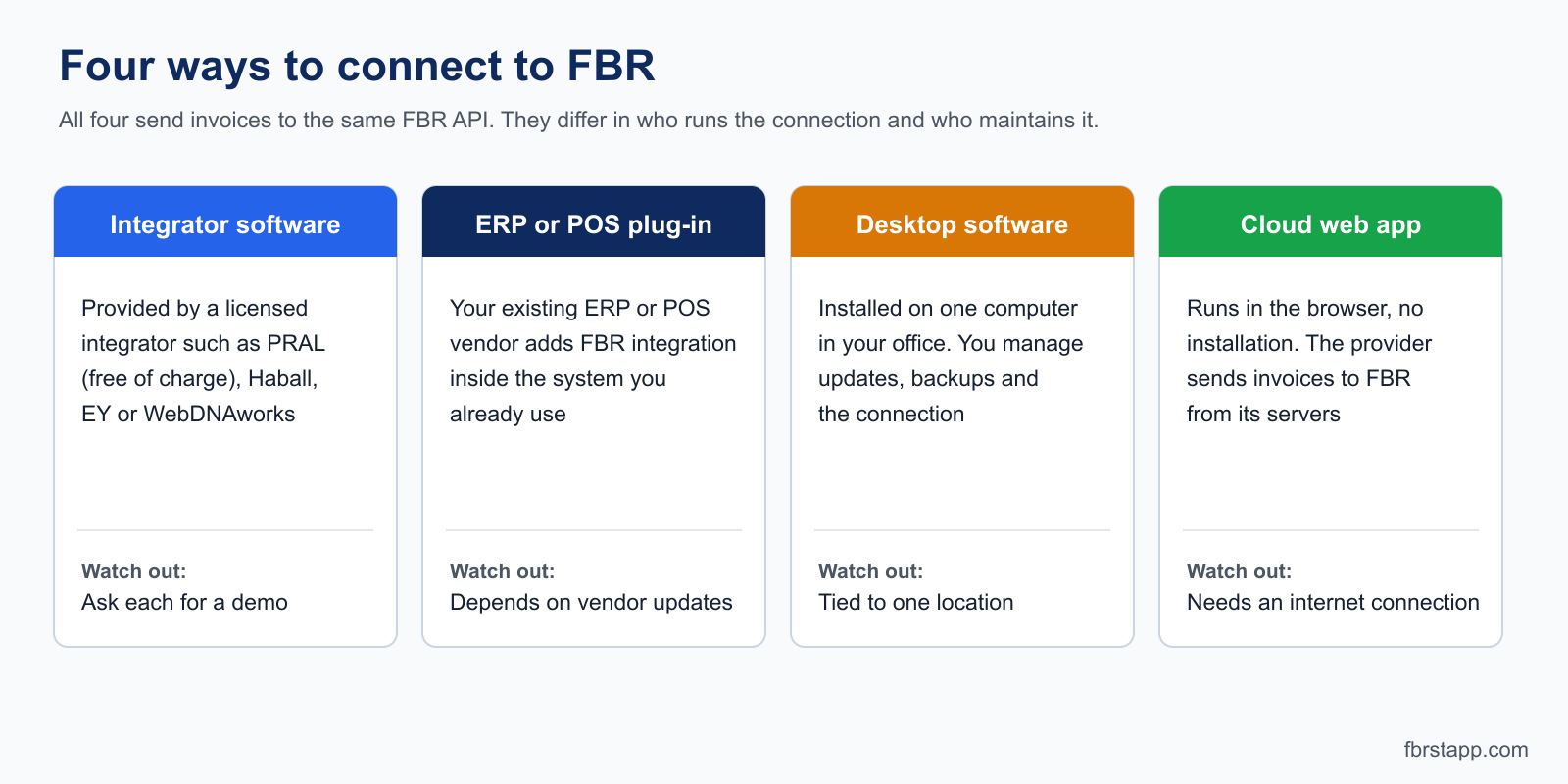
| Type | Install needed | Who runs the FBR connection | Best for | Watch out for |
|---|---|---|---|---|
| Integrator software | Varies by integrator | The licensed integrator | Businesses that want the official route | Features and support differ; ask each integrator for a demo |
| ERP or POS plug-in | Inside your existing system | Your ERP or POS vendor | Companies with a large system already | Cost and speed depend on the vendor's update schedule |
| Desktop software | Yes, on each computer | You, from your own network | One office, one user | Updates, backups, and some setups need a fixed IP address |
| Cloud web app | No, runs in a browser | The provider, from its servers | SMEs, accountants, several locations | Needs internet; check data export and token security |
FBR names PRAL, Haball, EY and WebDNAworks as the licensed integrators in the April 2025 notification reported by Dawn. We have not compared their products and make no claims about them. Ask each for a demo using the checklist below.
How to choose: 12 questions to ask any vendor
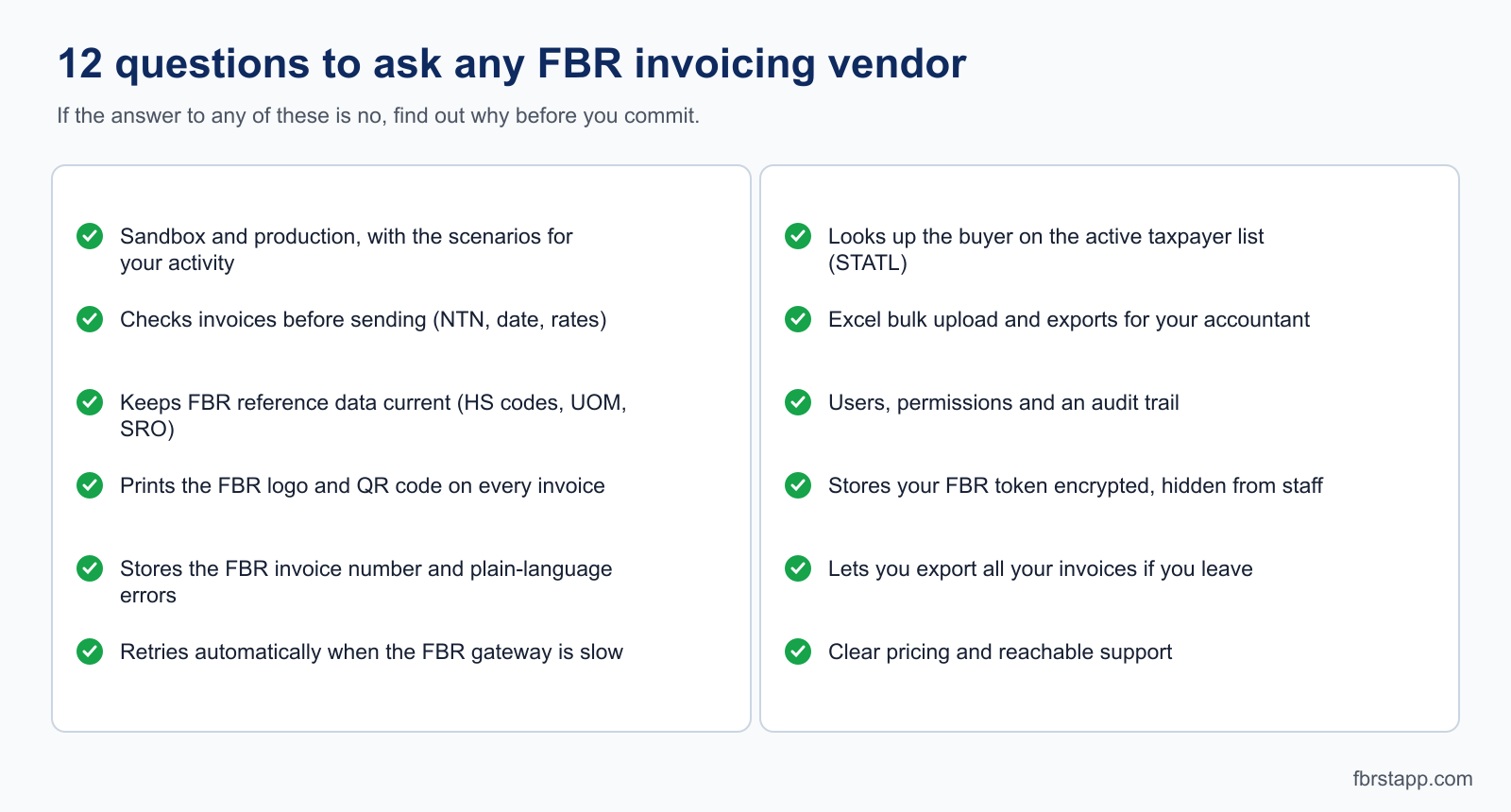
- Sandbox and production? Does it support both, and guide you through the sandbox scenarios that apply to your business activity?
- Checks before sending? Does it validate seller and buyer numbers, date format and rates before the invoice goes to FBR?
- Reference data? Does it keep HS codes, units of measure, SRO items and rates in line with FBR's reference APIs?
- Logo and QR code? Does it print them on every invoice in FBR's required size?
- FBR response? Does it store the FBR invoice number, and show errors in plain language?
- When FBR is slow? Does it queue and retry automatically, so no invoice is lost?
- Buyer check? Can it look up the buyer on FBR's active taxpayer list (STATL)?
- Bulk work? Does it import from Excel and export for your accountant?
- People and audit? Does it have users, permissions and a record of who created or changed an invoice?
- Token security? Is your FBR token stored encrypted and hidden from staff who do not need it?
- Your data? Can you export all invoices if you leave?
- Price and support? Is the price clear, and can you reach someone, in your language, when an invoice fails?
Is there free FBR digital invoicing software, and what about free download?
Free options do exist. According to FBR's notification, PRAL provides integration services free of charge, and some cloud tools include a free allowance. FBRSTAPP, for example, starts with 20 free FBR digital invoices before you choose a paid plan. One industry source says PRAL also makes invoicing software available for download from FBR's website. We could not confirm this on an official page, so check the FBR digital invoicing portal.
You may not need a download at all. A cloud web app runs in your browser. If a tool asks you to install a program, ask why.
Be careful with unofficial "free download" files. Invoicing software needs your FBR security token to work. The token is valid for 5 years, and anyone who has it can submit invoices in your business's name. A cracked or unknown download can capture it. Safe habits:
- Download only from the official FBR or PRAL site, or from the vendor's own website.
- Never email or message your token. Treat it like a password.
- Start in the sandbox with the token FBR gives for testing, and move to production only when you trust the software.
- If you suspect a leak, ask FBR or your integrator how to replace the token.
For other free options, see our comparison of free invoicing software in Pakistan.
Where FBRSTAPP fits
FBRSTAPP is a cloud web app for FBR digital invoicing in Pakistan. It works in the browser with no installation, supports the sandbox and production, guides you through the sandbox scenarios for your business activity, prints the FBR logo and QR code, handles customer records, Excel upload and reports, and sends invoices from its own servers so your office connection does not need a static IP. It also includes SRO Chat, an AI assistant for FBR SRO questions. Plans start free, and paid plans begin at Rs. 500 per month (see current pricing).
It is not right for everyone. It needs an internet connection, it is built for Pakistani businesses, and you still need your own FBR registration and tokens. If you need deep integration with an existing ERP, ask your ERP vendor first. FBRSTAPP is an independent product and is not operated by FBR.
Getting started in five steps
- Check whether you must comply. FBR sets the categories by notification. Ask your tax advisor if you are unsure.
- Choose an integrator on the FBR digital invoicing portal.
- Get your sandbox token and connect your software.
- Complete the sandbox scenarios that apply to your business activity.
- Apply for the production token, add it to your software, and start issuing live invoices.
Our sandbox to production guide shows steps 3 to 5 with screenshots. You can create a free account and try it, or read the longer overview of FBR digital invoicing software in Pakistan.
Sources
- FBR Digital Invoicing API Technical Specification, version 1.0, PRAL (2025): token, validation rules, reference APIs, QR code and logo, sandbox scenarios.
- Dawn: FBR notifies four firms to register retailers
- ProPakistani: Only these 4 companies can legally register retailers for FBR digital invoice system
This article is general information, not tax advice or an endorsement of any vendor. Rules, portal screens and prices change, so confirm current requirements with FBR or a registered tax advisor.